
A practical 2026 gaming PC planning guide focused on performance balance, upgrade paths, thermals, power and value.
Buying computer hardware in 2026 is less about chasing the newest label and more about matching the right technology to a specific workload. Product families now overlap across gaming, content creation, office work, streaming and local AI, while prices and configurations can vary widely. This guide focuses on practical decision-making: what to measure, which specifications actually change the experience, where spending produces diminishing returns, and how to avoid compatibility mistakes that only become obvious after the hardware is installed.
The recommendations below are intentionally platform-neutral. Exact product prices and model availability change frequently, so the goal is to give you a framework you can reuse when comparing current options. Before buying, verify the latest specifications from the manufacturer and compare independent testing for the exact model or configuration you are considering.
Start With the Games and Resolution You Actually Use
Define target games, monitor resolution, refresh rate and acceptable frame-rate before selecting parts. A machine for competitive 1080p play has a different spending profile from a quiet 4K system for cinematic games. For a buyer, the most useful approach is to convert that idea into a measurable requirement. Write down the resolution, applications, connection types, storage needs, noise tolerance, mobility needs or upgrade plans that apply to your own setup. This removes a surprising amount of confusion because a specification only matters when it changes the way the computer behaves in your workload. A premium part that never solves a real limitation is not automatically a better purchase.
When comparing gaming PC options, avoid judging one headline specification in isolation. Product design is a chain: performance depends on power limits, cooling, firmware, memory, drivers and the rest of the platform. Two devices with similar labels can behave differently once they run for twenty or thirty minutes. Independent sustained tests, noise measurements and application-specific benchmarks therefore provide more useful context than a short peak result.
GPU Budget Comes First for Most Gaming Builds
The graphics card usually has the largest direct effect on gaming performance, especially as resolution and visual settings rise. The useful question is not which GPU is fastest, but which tier can consistently support your monitor and games without forcing poor compromises elsewhere. For a buyer, the most useful approach is to convert that idea into a measurable requirement. Write down the resolution, applications, connection types, storage needs, noise tolerance, mobility needs or upgrade plans that apply to your own setup. This removes a surprising amount of confusion because a specification only matters when it changes the way the computer behaves in your workload. A premium part that never solves a real limitation is not automatically a better purchase.
When comparing graphics card options, avoid judging one headline specification in isolation. Product design is a chain: performance depends on power limits, cooling, firmware, memory, drivers and the rest of the platform. Two devices with similar labels can behave differently once they run for twenty or thirty minutes. Independent sustained tests, noise measurements and application-specific benchmarks therefore provide more useful context than a short peak result.
Choose a CPU That Protects Frame-Time Consistency
A modern gaming processor should keep minimum frame rates stable, handle background apps and leave enough platform life for future upgrades. Core count alone does not tell the whole story; architecture, cache, power behavior and game engine characteristics matter. For a buyer, the most useful approach is to convert that idea into a measurable requirement. Write down the resolution, applications, connection types, storage needs, noise tolerance, mobility needs or upgrade plans that apply to your own setup. This removes a surprising amount of confusion because a specification only matters when it changes the way the computer behaves in your workload. A premium part that never solves a real limitation is not automatically a better purchase.
When comparing processor options, avoid judging one headline specification in isolation. Product design is a chain: performance depends on power limits, cooling, firmware, memory, drivers and the rest of the platform. Two devices with similar labels can behave differently once they run for twenty or thirty minutes. Independent sustained tests, noise measurements and application-specific benchmarks therefore provide more useful context than a short peak result.

How Much RAM Makes Sense in 2026
Memory capacity should cover the game, launcher, browser, voice chat and background tools at the same time. For a new performance-focused build, enough headroom is more valuable than chasing extreme memory frequency that may require manual tuning. For a buyer, the most useful approach is to convert that idea into a measurable requirement. Write down the resolution, applications, connection types, storage needs, noise tolerance, mobility needs or upgrade plans that apply to your own setup. This removes a surprising amount of confusion because a specification only matters when it changes the way the computer behaves in your workload. A premium part that never solves a real limitation is not automatically a better purchase.
When comparing DDR5 memory options, avoid judging one headline specification in isolation. Product design is a chain: performance depends on power limits, cooling, firmware, memory, drivers and the rest of the platform. Two devices with similar labels can behave differently once they run for twenty or thirty minutes. Independent sustained tests, noise measurements and application-specific benchmarks therefore provide more useful context than a short peak result.
PCIe 4.0 vs PCIe 5.0 SSDs for Gaming
Game load times are influenced by more than headline sequential speed. Random access, controller quality, thermal management, available capacity and the difference between benchmark gains and real game behavior are more important than buying the highest advertised number. For a buyer, the most useful approach is to convert that idea into a measurable requirement. Write down the resolution, applications, connection types, storage needs, noise tolerance, mobility needs or upgrade plans that apply to your own setup. This removes a surprising amount of confusion because a specification only matters when it changes the way the computer behaves in your workload. A premium part that never solves a real limitation is not automatically a better purchase.
When comparing NVMe SSD options, avoid judging one headline specification in isolation. Product design is a chain: performance depends on power limits, cooling, firmware, memory, drivers and the rest of the platform. Two devices with similar labels can behave differently once they run for twenty or thirty minutes. Independent sustained tests, noise measurements and application-specific benchmarks therefore provide more useful context than a short peak result.
Motherboard Features Worth Paying For
Spend on the connectivity and expansion you will actually use: enough M.2 slots, USB ports, network speed, fan headers, BIOS features and a reliable power-delivery design. Decorative features should come after compatibility and upgrade flexibility. For a buyer, the most useful approach is to convert that idea into a measurable requirement. Write down the resolution, applications, connection types, storage needs, noise tolerance, mobility needs or upgrade plans that apply to your own setup. This removes a surprising amount of confusion because a specification only matters when it changes the way the computer behaves in your workload. A premium part that never solves a real limitation is not automatically a better purchase.
When comparing power supply options, avoid judging one headline specification in isolation. Product design is a chain: performance depends on power limits, cooling, firmware, memory, drivers and the rest of the platform. Two devices with similar labels can behave differently once they run for twenty or thirty minutes. Independent sustained tests, noise measurements and application-specific benchmarks therefore provide more useful context than a short peak result.
Power Supply Sizing Without Guesswork
A quality PSU should provide enough continuous output for the CPU and GPU while leaving sensible transient and upgrade headroom. Connector support, warranty, efficiency, fan behavior and platform quality matter more than an oversized wattage label. For a buyer, the most useful approach is to convert that idea into a measurable requirement. Write down the resolution, applications, connection types, storage needs, noise tolerance, mobility needs or upgrade plans that apply to your own setup. This removes a surprising amount of confusion because a specification only matters when it changes the way the computer behaves in your workload. A premium part that never solves a real limitation is not automatically a better purchase.
When comparing airflow options, avoid judging one headline specification in isolation. Product design is a chain: performance depends on power limits, cooling, firmware, memory, drivers and the rest of the platform. Two devices with similar labels can behave differently once they run for twenty or thirty minutes. Independent sustained tests, noise measurements and application-specific benchmarks therefore provide more useful context than a short peak result.

Cooling and Case Airflow
A balanced airflow path keeps the CPU, GPU, SSD and motherboard components from heat-soaking during long sessions. Good thermals can protect sustained clocks while allowing slower, quieter fan speeds. For a buyer, the most useful approach is to convert that idea into a measurable requirement. Write down the resolution, applications, connection types, storage needs, noise tolerance, mobility needs or upgrade plans that apply to your own setup. This removes a surprising amount of confusion because a specification only matters when it changes the way the computer behaves in your workload. A premium part that never solves a real limitation is not automatically a better purchase.
When comparing 1440p gaming options, avoid judging one headline specification in isolation. Product design is a chain: performance depends on power limits, cooling, firmware, memory, drivers and the rest of the platform. Two devices with similar labels can behave differently once they run for twenty or thirty minutes. Independent sustained tests, noise measurements and application-specific benchmarks therefore provide more useful context than a short peak result.
1440p vs 4K Build Priorities
At 1440p, both CPU and GPU choices can materially affect high-refresh gaming. At 4K, the workload usually becomes more GPU-sensitive, which can justify reallocating budget from a premium processor toward a stronger graphics card. For a buyer, the most useful approach is to convert that idea into a measurable requirement. Write down the resolution, applications, connection types, storage needs, noise tolerance, mobility needs or upgrade plans that apply to your own setup. This removes a surprising amount of confusion because a specification only matters when it changes the way the computer behaves in your workload. A premium part that never solves a real limitation is not automatically a better purchase.
When comparing 4K gaming options, avoid judging one headline specification in isolation. Product design is a chain: performance depends on power limits, cooling, firmware, memory, drivers and the rest of the platform. Two devices with similar labels can behave differently once they run for twenty or thirty minutes. Independent sustained tests, noise measurements and application-specific benchmarks therefore provide more useful context than a short peak result.
Avoid Common Compatibility Traps
Check case GPU clearance, cooler height, radiator position, memory clearance, motherboard form factor, PSU length and the exact power connectors required by the graphics card. Compatibility should be verified before ordering, not discovered during assembly. For a buyer, the most useful approach is to convert that idea into a measurable requirement. Write down the resolution, applications, connection types, storage needs, noise tolerance, mobility needs or upgrade plans that apply to your own setup. This removes a surprising amount of confusion because a specification only matters when it changes the way the computer behaves in your workload. A premium part that never solves a real limitation is not automatically a better purchase.
When comparing gaming PC options, avoid judging one headline specification in isolation. Product design is a chain: performance depends on power limits, cooling, firmware, memory, drivers and the rest of the platform. Two devices with similar labels can behave differently once they run for twenty or thirty minutes. Independent sustained tests, noise measurements and application-specific benchmarks therefore provide more useful context than a short peak result.
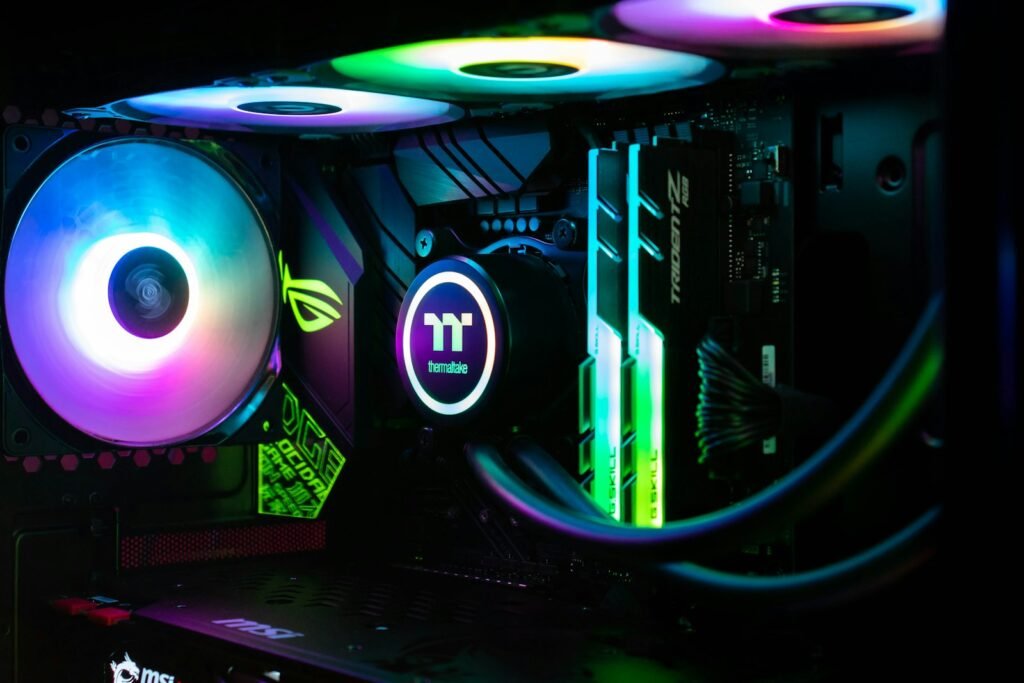
Build for Upgrades Instead of Replacements
A sensible platform leaves room for an additional SSD, more memory, a faster GPU or better cooling without forcing a complete rebuild. Good cable management and accessible components make future work easier too. For a buyer, the most useful approach is to convert that idea into a measurable requirement. Write down the resolution, applications, connection types, storage needs, noise tolerance, mobility needs or upgrade plans that apply to your own setup. This removes a surprising amount of confusion because a specification only matters when it changes the way the computer behaves in your workload. A premium part that never solves a real limitation is not automatically a better purchase.
When comparing graphics card options, avoid judging one headline specification in isolation. Product design is a chain: performance depends on power limits, cooling, firmware, memory, drivers and the rest of the platform. Two devices with similar labels can behave differently once they run for twenty or thirty minutes. Independent sustained tests, noise measurements and application-specific benchmarks therefore provide more useful context than a short peak result.
A Practical Buying Checklist
Compare total system cost, warranty coverage, retailer return windows and real-world performance reviews. Buy around the experience you want, not around a single benchmark chart or a component that looks impressive in isolation. For a buyer, the most useful approach is to convert that idea into a measurable requirement. Write down the resolution, applications, connection types, storage needs, noise tolerance, mobility needs or upgrade plans that apply to your own setup. This removes a surprising amount of confusion because a specification only matters when it changes the way the computer behaves in your workload. A premium part that never solves a real limitation is not automatically a better purchase.
When comparing processor options, avoid judging one headline specification in isolation. Product design is a chain: performance depends on power limits, cooling, firmware, memory, drivers and the rest of the platform. Two devices with similar labels can behave differently once they run for twenty or thirty minutes. Independent sustained tests, noise measurements and application-specific benchmarks therefore provide more useful context than a short peak result.
Final Takeaway
The strongest way to shop for gaming PC hardware is to define the result you want first, then work backward to the specifications that produce it. Balance performance, thermals, noise, capacity, connectivity, warranty and upgrade flexibility rather than maximizing one number. That method reduces overspending and makes it much easier to explain why one configuration is a better fit for your system than another.
Before checkout, make one final compatibility pass, save the product pages or manuals you relied on, and confirm the retailer’s return terms. Technology moves quickly, but a well-balanced system built around clear requirements can remain useful for years because it has enough capacity, the right interfaces and a sensible upgrade path.
Practical planning note 1
As you narrow the shortlist, test the decision against a realistic week of use. Think about when gaming PC will be under the greatest load, what other applications are open at the same time, and whether DDR5 memory creates a hidden dependency elsewhere in the system. This kind of scenario planning is more reliable than buying around a best-case benchmark. It also highlights costs that are easy to overlook, such as a new cable, dock, power supply, cooling change, larger drive or monitor upgrade. If two options perform similarly, favor the one that gives you better capacity, quieter operation, stronger support or easier service. Those qualities continue to matter after the excitement of a new purchase has passed.